What is n8n?
n8n is a workflow automation platform that lets you connect FirstPromoter to hundreds of other services. The FirstPromoter n8n node lets you start a workflow when a webhook event is received or use the FirstPromoter v2 API to perform many actions or operations.Requirements
- n8n instance — self host(local machine or docker-based) or n8n-cloud based. See n8n docs
- Authentication credentials — API key and Account ID. See Setting up credentials for details on generating/accessing API keys and Account ID.
Installation
To install the FirstPromoter n8n node, make sure the n8n instance is already running. See the official n8n docs if you need to install it first.Install FirstPromoter n8n node
The FirstPromoter n8n node can be installed through the local self-hosted n8n instance or the n8n Cloud-based instance. See n8n docsSelf Hosted
For self-hosted n8n instances, you can install the FirstPromoter node directly via the web interface by following the steps below:1
Step 1
Open n8n in your browser (typically
http://localhost:5678)2
Step 2
Navigate to Settings → Community Nodes
3
Step 3
Click “Install a community node”
4
Step 4
Enter package name:
@firstpromoter/n8n-nodes-firstpromoter5
Step 5
Click Install and wait for the installation to complete
6
Step 6
Refresh your browser and set up credentials
n8n Cloud
The FirstPromoter n8n node requires verification to be available on the n8n Cloud. n8n Cloud supports a select group of verified community nodes included in their official catalog.Current Status: Until the FirstPromoter n8n node is verified and included in the Cloud-available catalog, use self-hosted n8n (local or Docker) with any of the installation methods above.
🔑 Setting Up Credentials
Before using the FirstPromoter n8n node, configure your connection credentials:
To add credentials in the n8n instance via the web interface, follow the steps below:
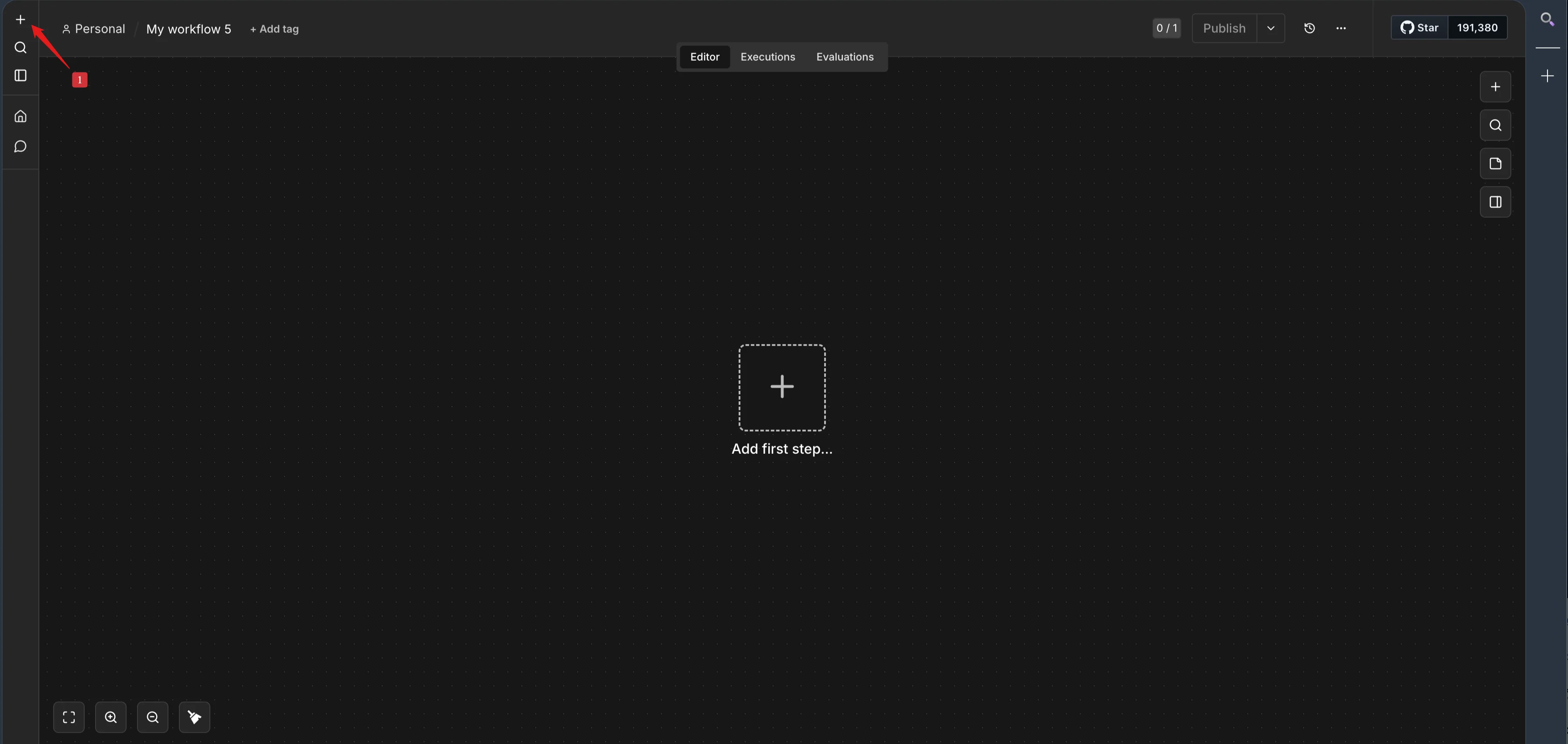
1
Step 1
Click the plus icon + on the top-left
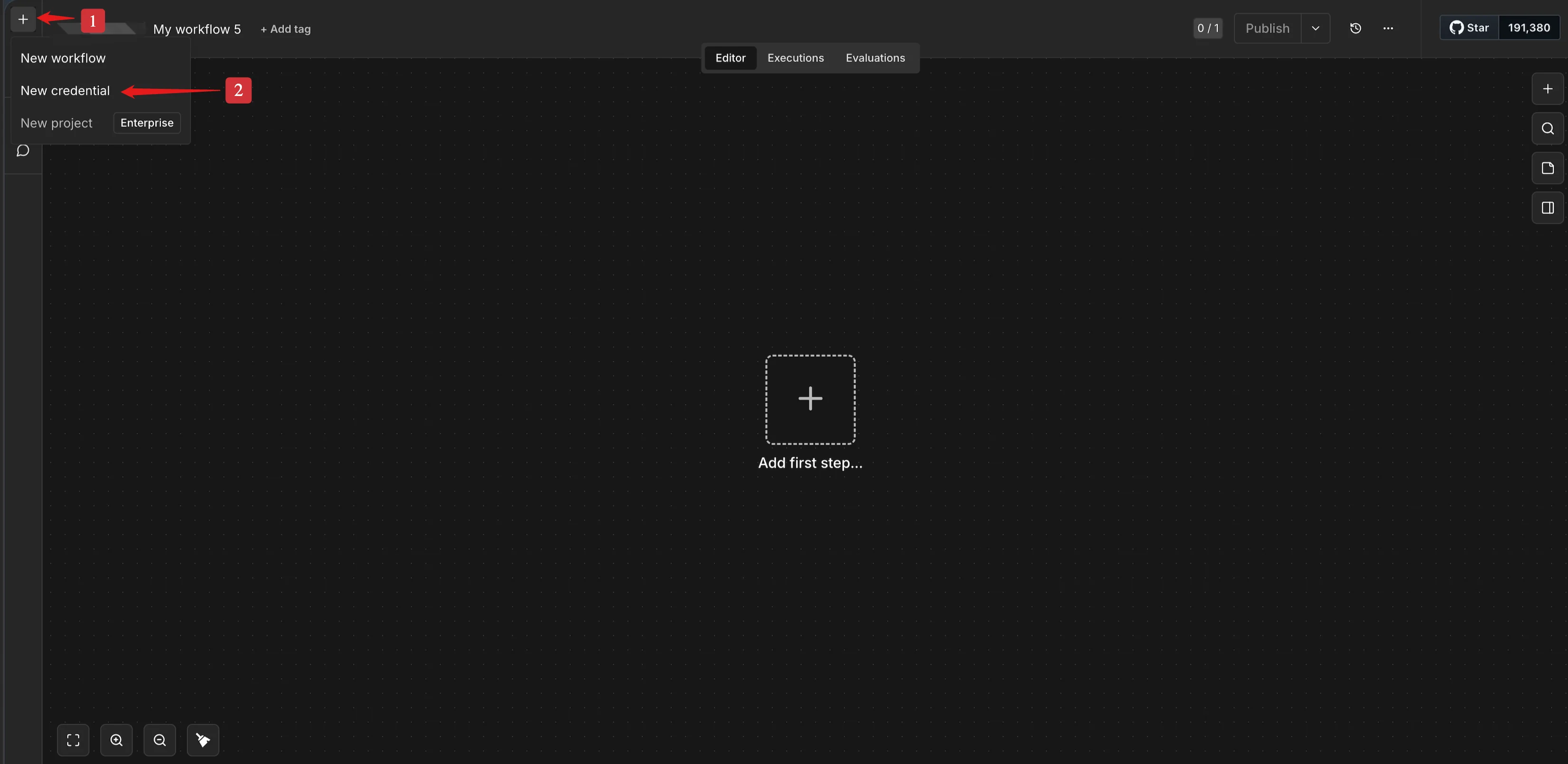
2
Step 2
Click New Credential
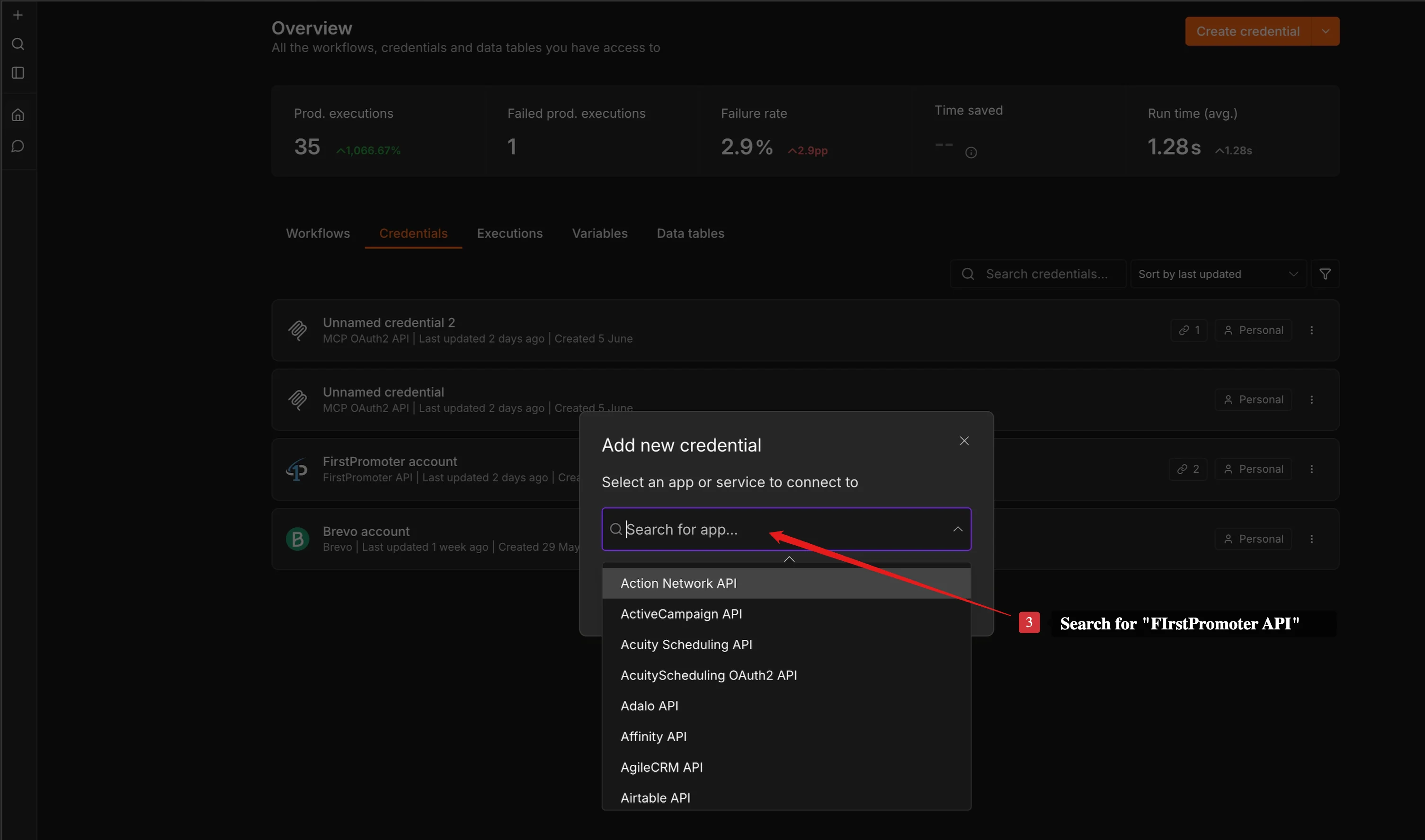
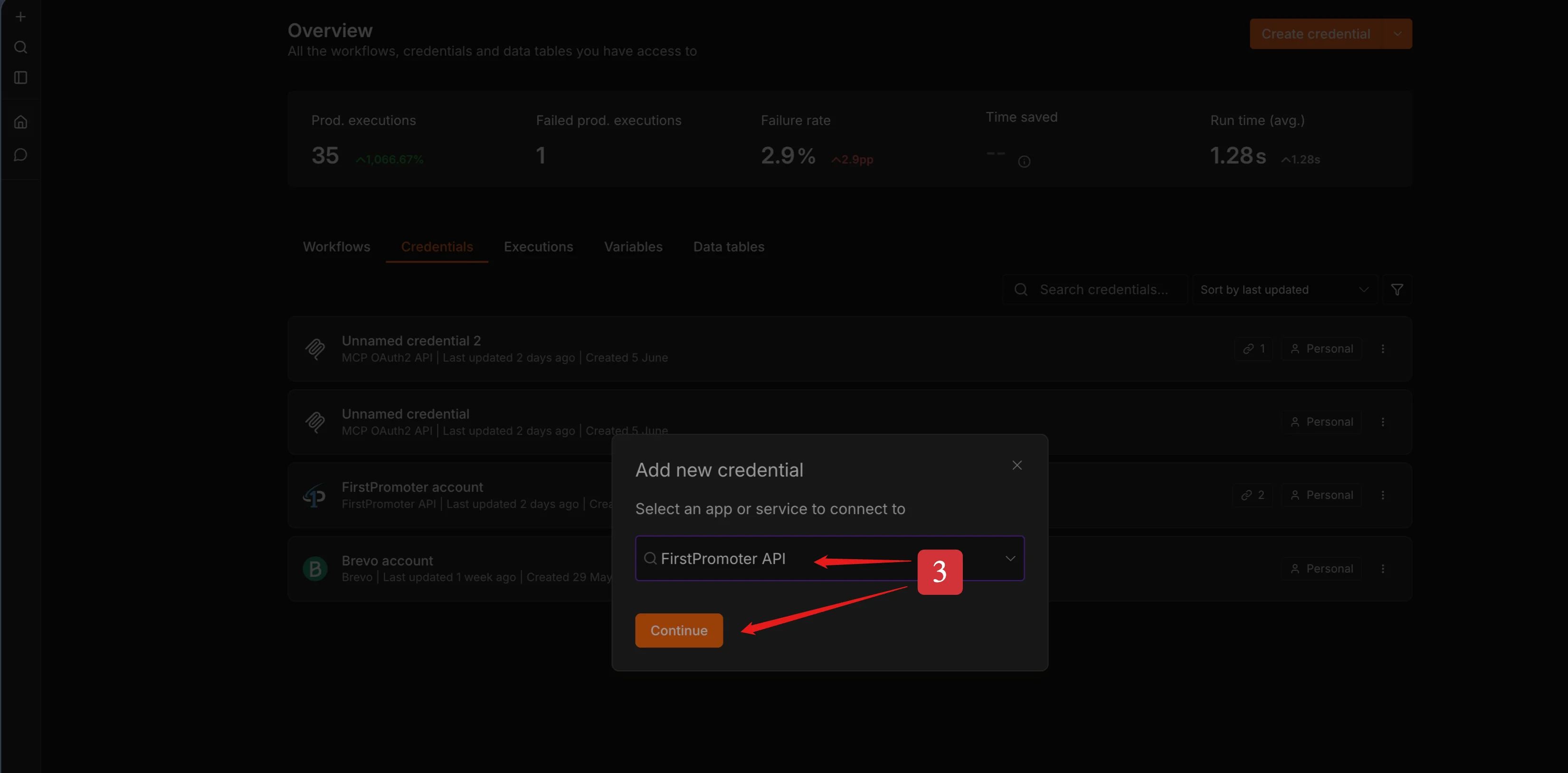
3
Step 3
Search for FirstPromoter API
4
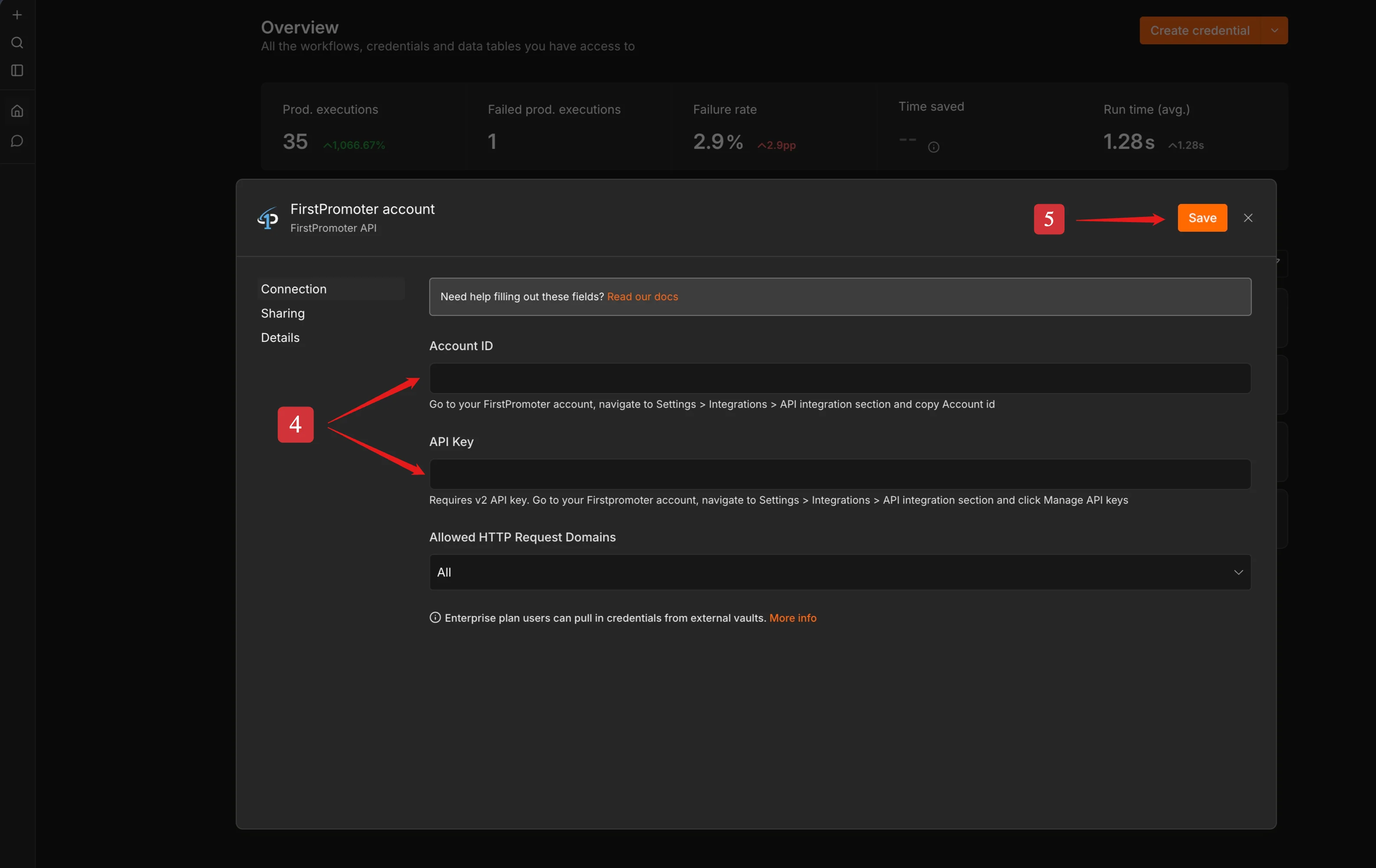
Step 4
Fill in the required fields.
- Account ID
- API Key
5
Step 5
Click Save
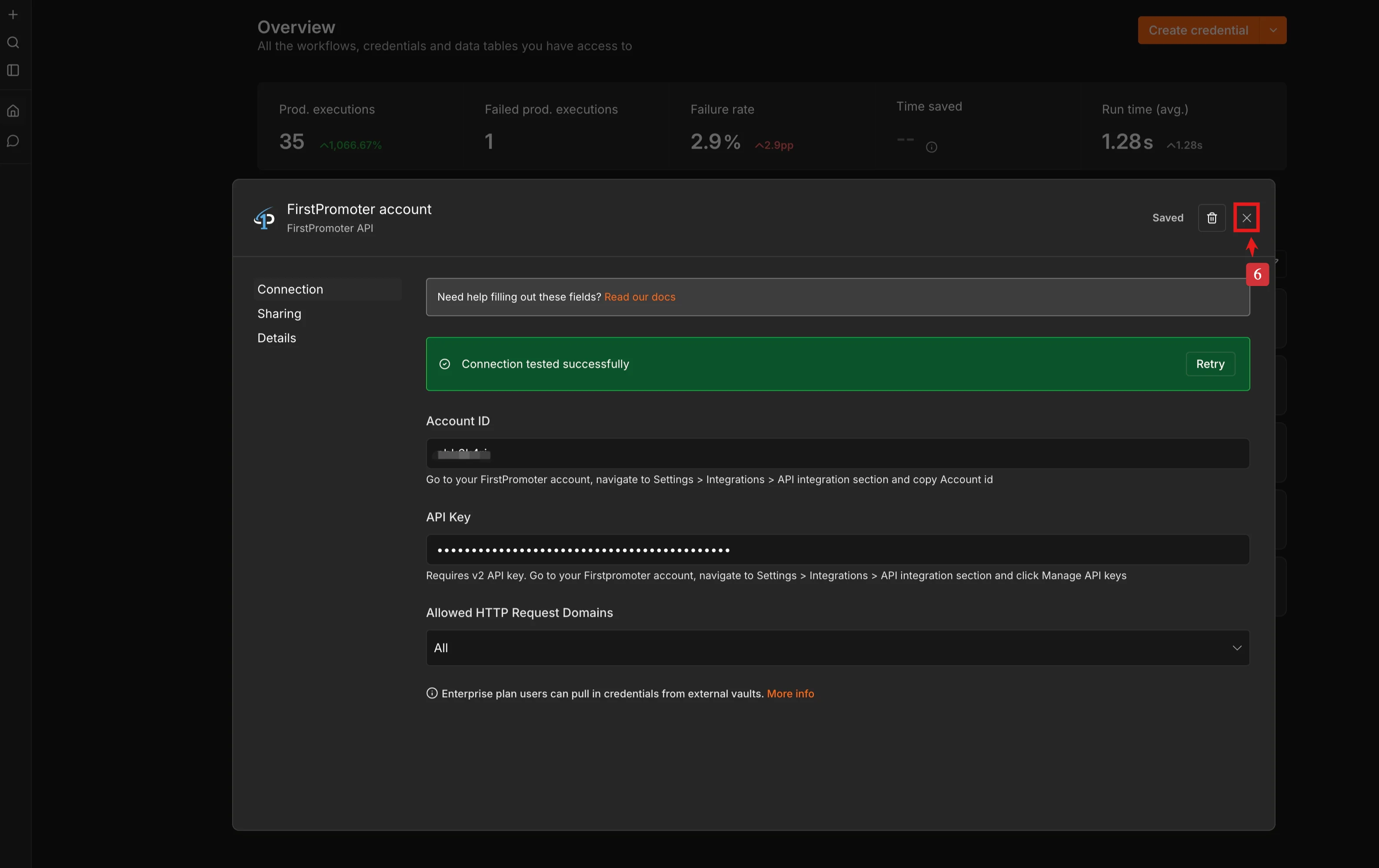
6
Step 6
Click the close icon “x” or click anywhere outside of the modal to close
7
Step 7
Create a new workflow or open an existing workflow and add the FirstPromoter n8n node.