> ## Documentation Index
> Fetch the complete documentation index at: https://docs.firstpromoter.com/llms.txt
> Use this file to discover all available pages before exploring further.
# n8n node
> Integrate FirstPromoter n8n node in your workflow.
# What is n8n?
[n8n](https://n8n.io/) is a workflow automation platform that lets you connect FirstPromoter to hundreds of other services.
The [FirstPromoter](https://www.npmjs.com/package/@firstpromoter/n8n-nodes-firstpromoter) n8n node lets you start a workflow when a webhook event is received or use the FirstPromoter v2 API to perform many actions or operations.
# Requirements
* n8n instance — self host(local machine or docker-based) or n8n-cloud based. [See n8n docs](https://docs.n8n.io/hosting/)
* Authentication credentials — API key and Account ID. See [Setting up credentials](#-setting-up-credentials) for details on generating/accessing API keys and Account ID.
# Installation
To install the [FirstPromoter](https://www.npmjs.com/package/@firstpromoter/n8n-nodes-firstpromoter) n8n node, make sure the n8n instance is already running. See the [official n8n docs](https://docs.n8n.io/hosting/) if you need to install it first.
## Install FirstPromoter n8n node
The [FirstPromoter](https://www.npmjs.com/package/@firstpromoter/n8n-nodes-firstpromoter) n8n node can be installed through the local self-hosted n8n instance or the n8n Cloud-based instance. [See n8n docs](https://docs.n8n.io/hosting/)
Community nodes require N8N\_COMMUNITY\_PACKAGES\_ENABLED=true in your n8n environment. Most installations have this enabled by default. If you cannot access the Community Nodes section in Settings, set this variable before starting n8n.
### Self Hosted
For self-hosted n8n instances, you can install the FirstPromoter node directly via the web interface by following the steps below:
Open n8n in your browser (typically `http://localhost:5678`)
Navigate to **Settings** → **Community Nodes**
Click "**Install a community node**"
Enter package name: `@firstpromoter/n8n-nodes-firstpromoter`
Click **Install** and wait for the installation to complete
Refresh your browser and [set up credentials](#-setting-up-credentials)
### n8n Cloud
The [FirstPromoter](https://www.npmjs.com/package/@firstpromoter/n8n-nodes-firstpromoter) n8n node requires verification to be available on the n8n Cloud. n8n Cloud supports a select group of verified community nodes included in their official catalog.
**Current Status**: Until the [FirstPromoter](https://www.npmjs.com/package/@firstpromoter/n8n-nodes-firstpromoter) n8n node is verified and included in the Cloud-available catalog, use self-hosted n8n (local or Docker) with any of the installation methods above.
# 🔑 Setting Up Credentials
Before using the [FirstPromoter](https://www.npmjs.com/package/@firstpromoter/n8n-nodes-firstpromoter) n8n node, configure your connection credentials:
| Field | Required | Description |
| ---------- | -------- | ------------------------ |
| Account ID | yes | FirstPromoter Account ID |
| API Key | yes | v2 API key |
**Get your credentials on FirstPromoter**
1. Log in to your **FirstPromoter** dashboard.
2. Go to **Settings → Integrations → API integration** section.
* Copy your **Account id**.
3. Click **Manage API keys**
* Add New API key or copy existing API key
**Tip:** If you rotate keys, update the n8n credential and re-run affected workflows
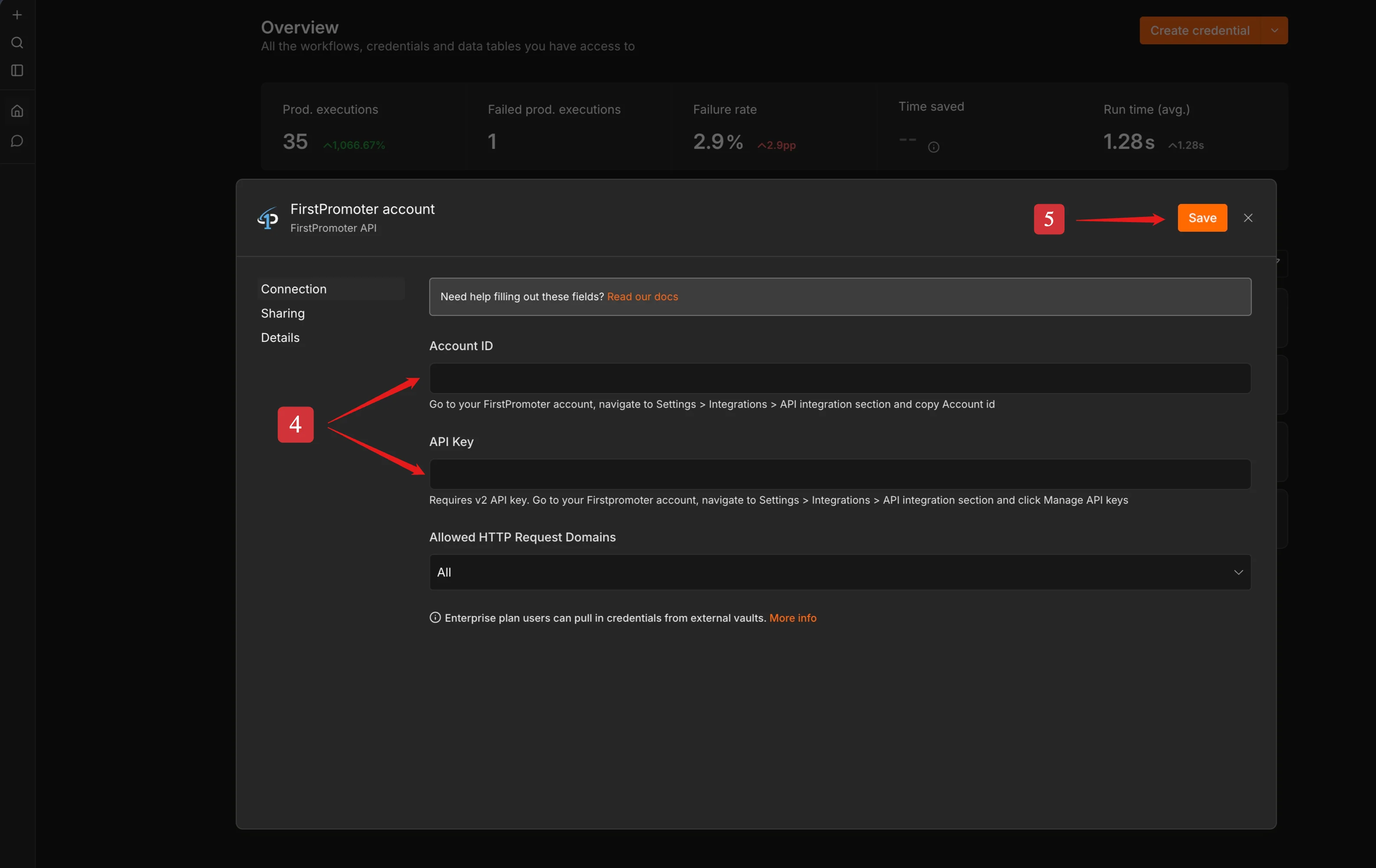
To add credentials in the n8n instance via the web interface, follow the steps below:
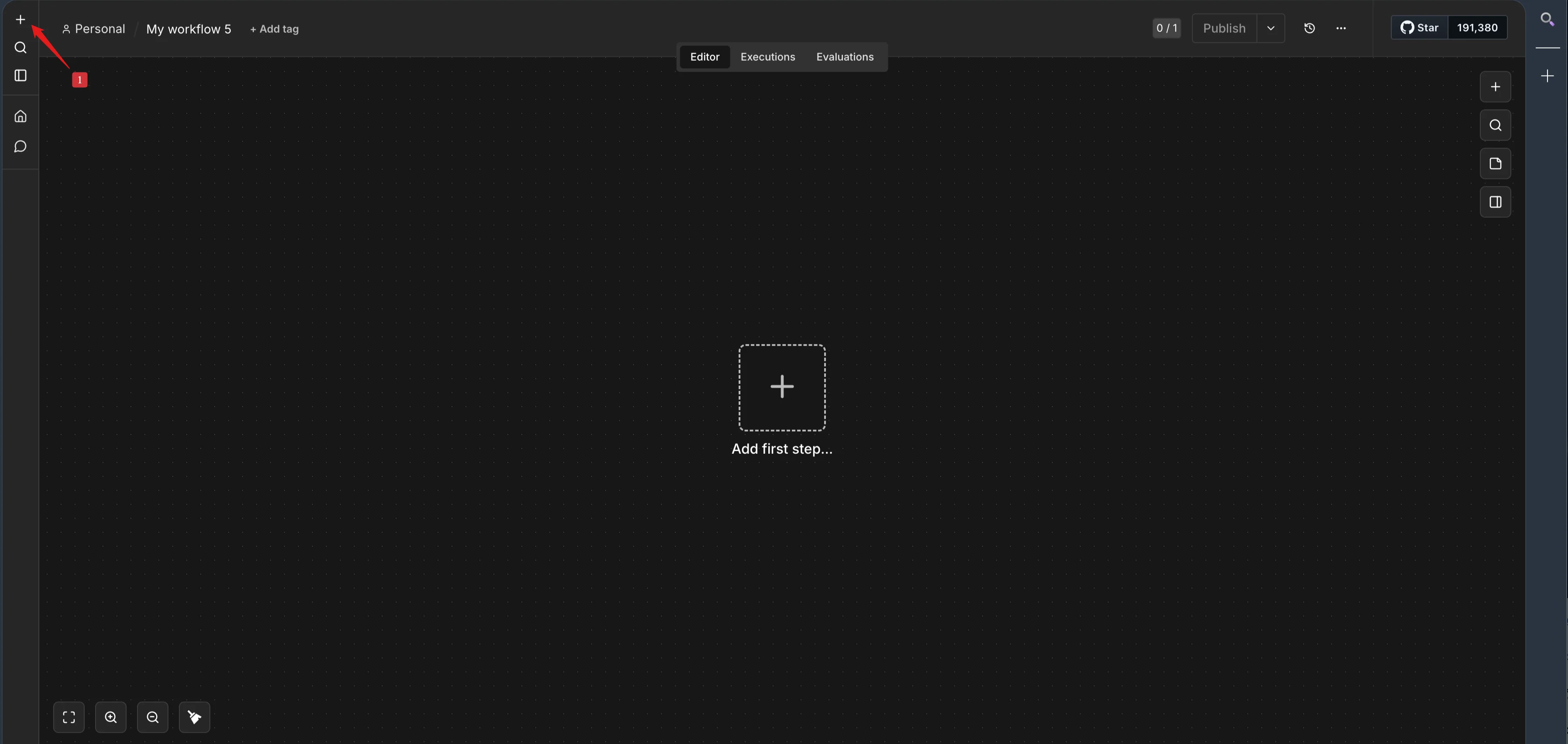
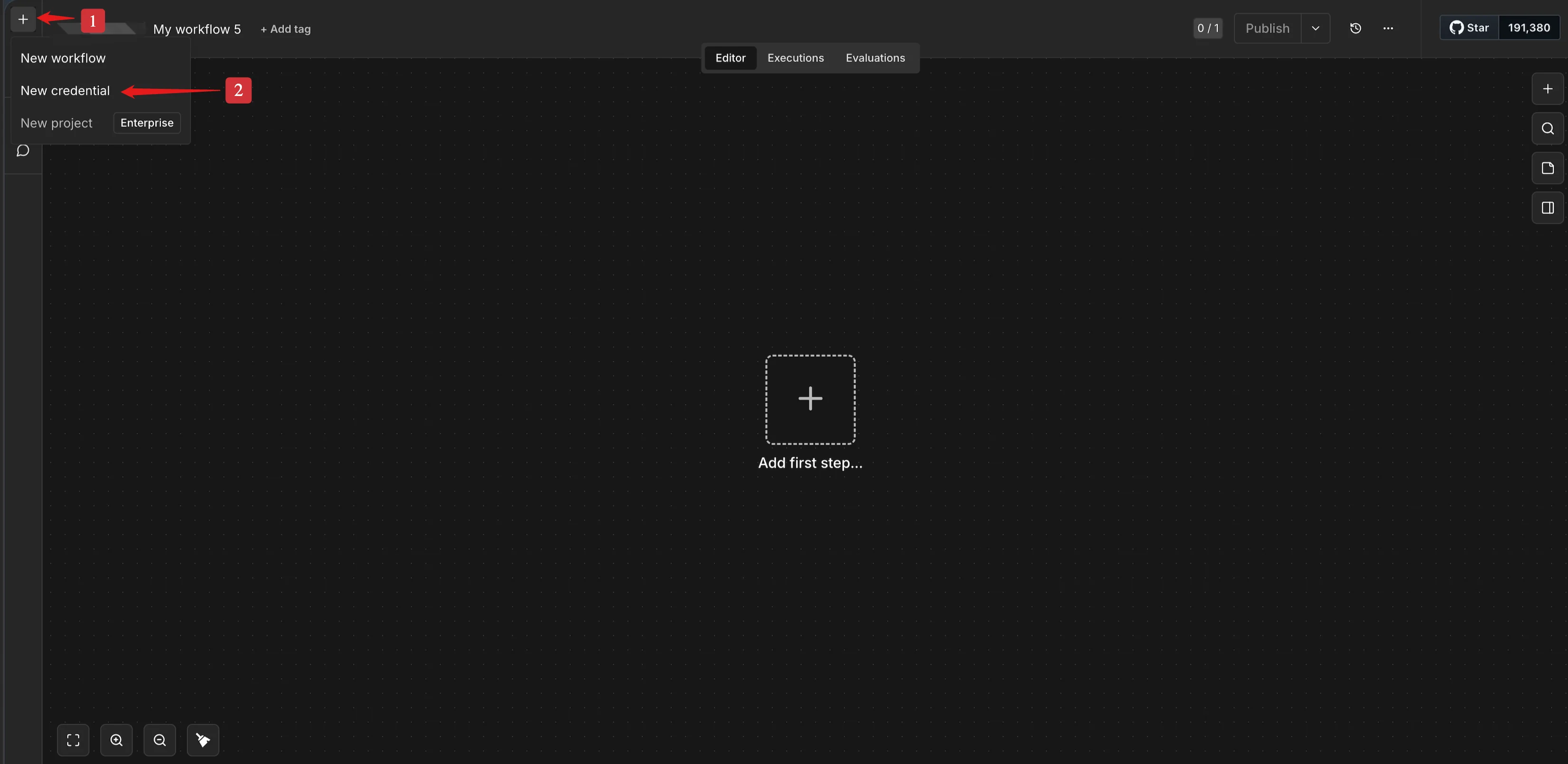
Click the plus icon **+** on the top-left
Click **New Credential**
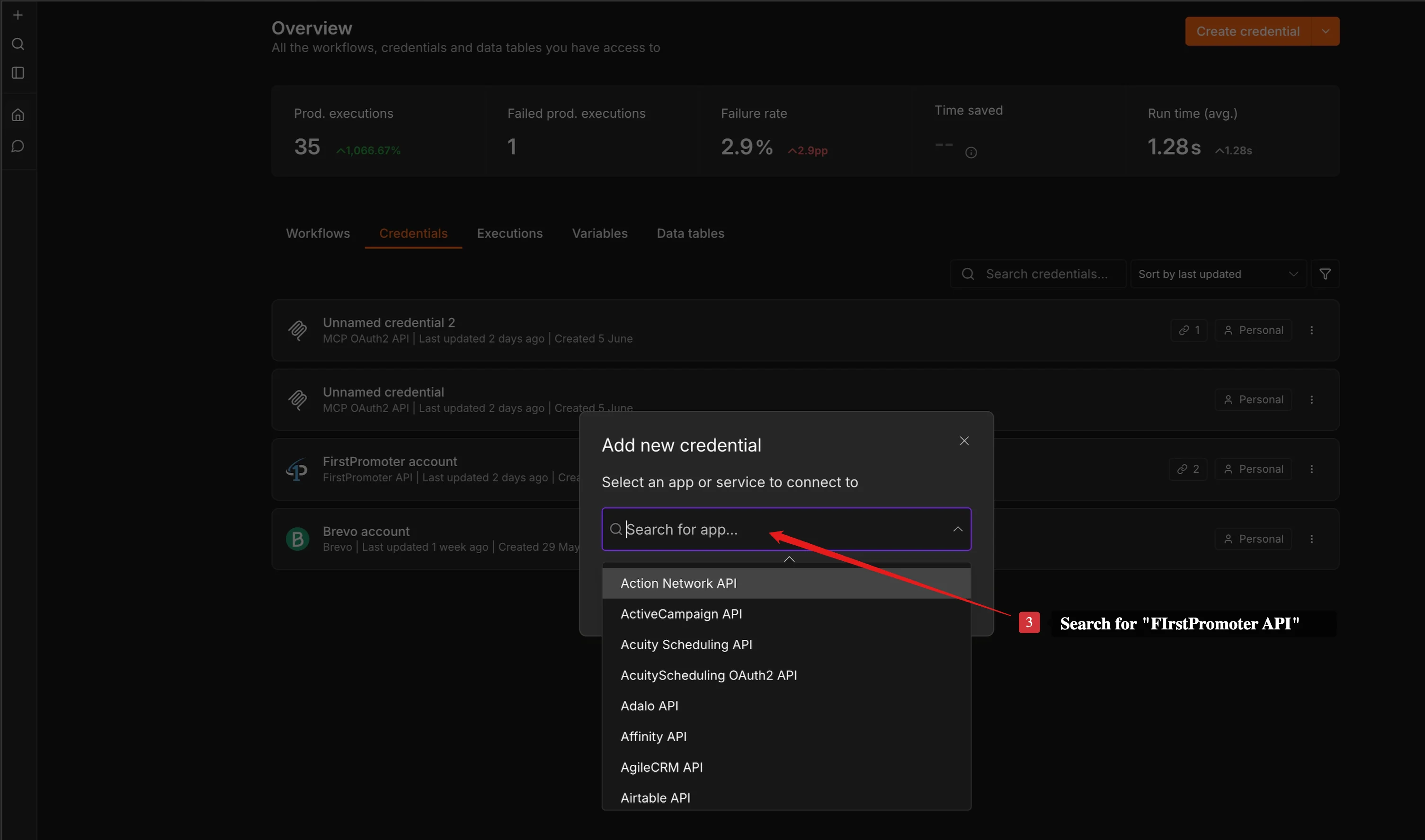
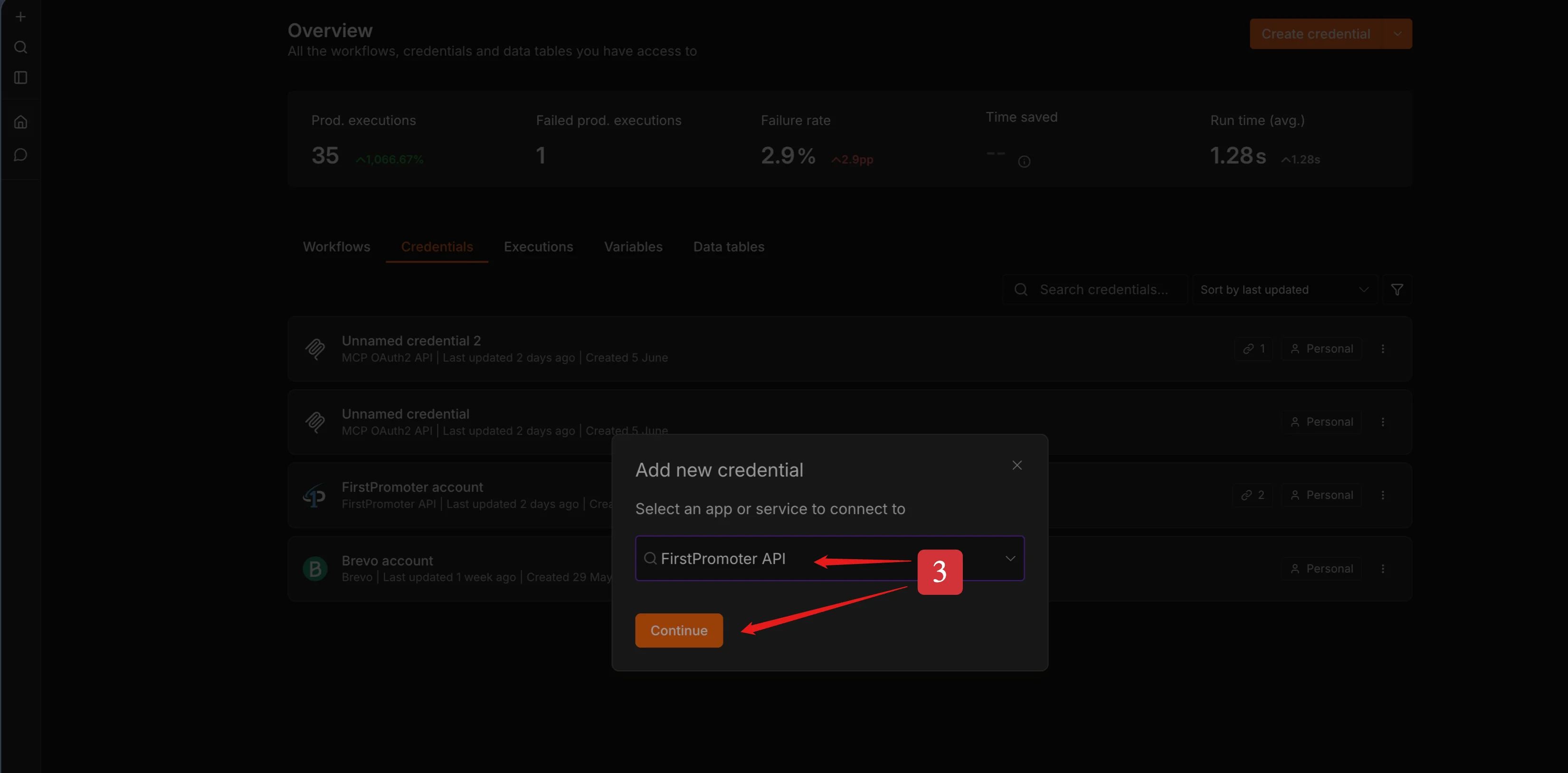
Search for **FirstPromoter API**
Fill in the required fields.
* Account ID
* API Key
Click **Save**
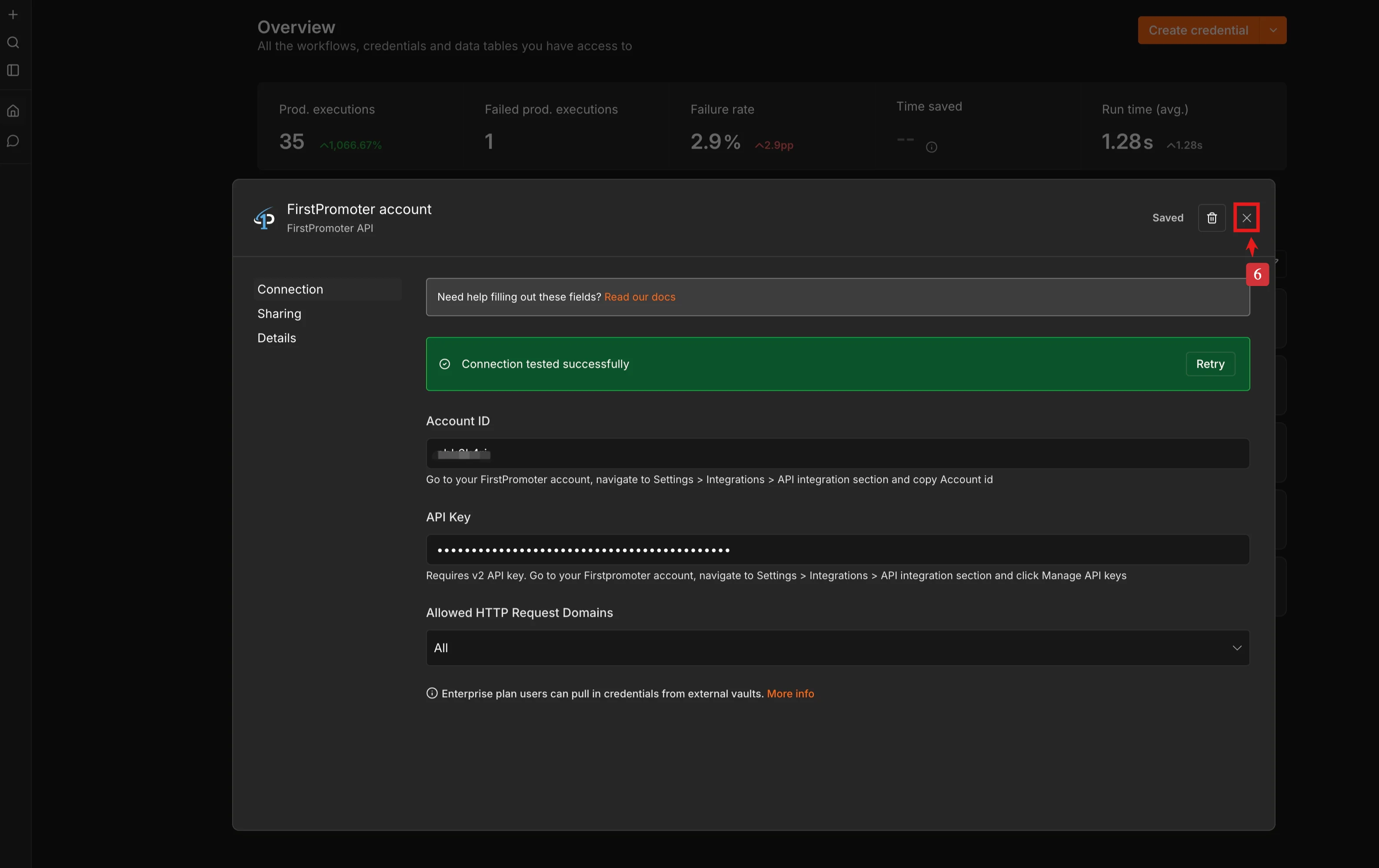
Click the close icon "**x"** or click anywhere outside of the modal to close
Create a new workflow or open an existing workflow and add the **FirstPromoter** n8n node.